

 Yas
Yas Airtel
 Vodacom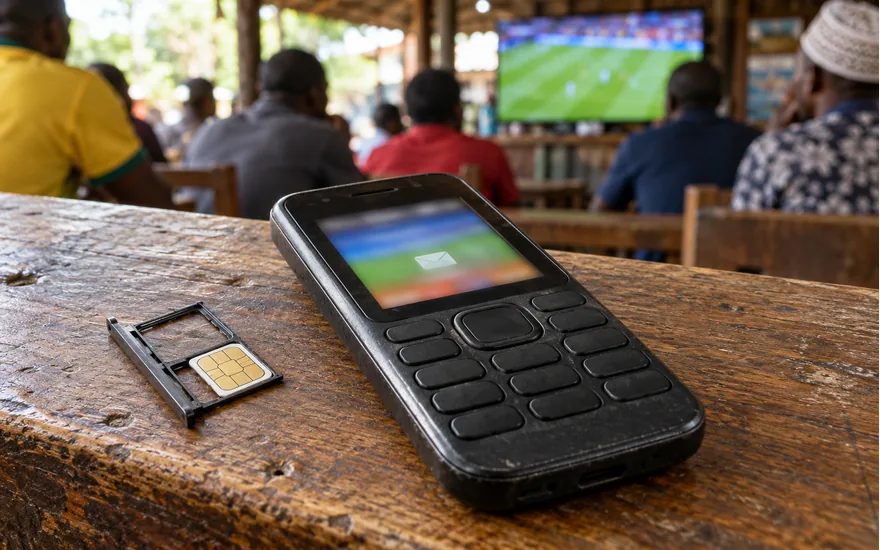
Find out where your SMS request stops
Do not enter a code or phone number here. This helper does not send SMS messages or access your account.
Correct the route before requesting another code
Use the official form with your own correct number. If the number already belongs to your account and cannot be changed there, ask official support how to correct it. Never use another person’s code.
Check the SIM with your mobile provider
Test reception using an ordinary message from someone you know. If that also fails, resolve the SIM or network problem with the provider before requesting another account code. Never share an account password or wallet PIN with an agent.
Check the exact request stage
Confirm you are on the official Tanzania page and that the displayed number is yours. Follow the resend notice shown by that form; this guide has no verified universal resend timer. If the problem persists, tell support which form you used and when.
Use account recovery, not another registration
Use the official sign-in recovery route for your existing account. Do not create a second account to get around the SMS problem. Ask support to distinguish registration verification from password recovery.
Do not share or approve the request
Do not send the code to a caller, chat contact or this guide. Open the official account page independently and contact official support if you suspect someone is trying to access your account.
Use the official contact details and support checklist. All choices stay on this page; nothing is submitted. These steps are guidance, not a payment or verification guarantee.
On this page
- Which code are you waiting for?
- Is the request on the genuine Tanzania screen?
- Does the displayed phone number belong to you?
- Can the intended SIM receive ordinary text messages?
- Where else on your phone should you look?
- When should you use the resend control?
- What if the code arrives but is rejected?
- How should you handle a lost or replaced SIM?
- Can an app or connection problem hide the next step?
- What does the Tanzania service-status page tell you?
- What should you send to official support?
- How do you know the problem is actually resolved?
- Common questions
Which code are you waiting for?
Identify the action that produced the request: registration, password recovery or another account confirmation. A code sent for one action should not be assumed to belong to a different screen or request.
The registration help specifically describes a verification OTP sent to the phone after entering a number and password. A booking code or a promotional code is not that account-security message.
Write down which page you opened and what you selected immediately before the message should have arrived. This gives you a concrete event to explain if support needs to investigate.
If you did not initiate the action, do not enter a code that arrives unexpectedly. Check account access through the genuine site rather than following a link supplied by someone discussing it.
The goal is to restore your intended action, not to obtain any code that makes a form advance. Borrowed numbers and shared messages create a different problem instead of completing your request.
| Code or message | What it relates to | Not a substitute for |
|---|---|---|
| Registration OTP | Confirming the phone in the published sign-up flow | A promotional code |
| Password-recovery message | The recovery action you deliberately requested | A new registration |
| Booking code | A set of betting selections | Phone ownership verification |
| Unrequested SMS | An action you have not identified | Permission to share account access |
Is the request on the genuine Tanzania screen?
Before trying again, inspect the address bar. You should know which site is requesting the code, not merely recognise the SportyBet logo or a familiar colour around the input field.
Do not enter the message into a form opened from an unsolicited bonus alert. Someone copying the registration screen can still be asking for a code intended to protect your genuine account.
If you are uncertain, close that route and open the official Tanzania website independently. Start the intended action there instead of trusting a forwarded address because it appeared in a familiar conversation.
This guide never receives or checks your OTP. Neither a review-site contact box nor a comment on a social-media post is an appropriate place to submit the code or your password.
For an unexpected page or payment demand, record the address without exposing your account details. Ask the official team whether the request belongs to them before taking another step in that flow.
Does the displayed phone number belong to you?
Read the destination number digit by digit, including how the Tanzania prefix is displayed. Follow the form’s current format rather than copying a number pattern from instructions for another country.
A single incorrect digit can send the message somewhere you cannot access. Repeating the request does not repair a wrong destination; check whether the form lets you correct it first.
For an existing account, distinguish a typing error from a number you no longer control. Password recovery cannot give you access to a SIM that has been lost, replaced or reassigned.
If the account uses your previous number, explain that history accurately to support. Do not insert another person’s number into a registration flow and treat the resulting account as your recovered profile.
The result is simple: either the requested message is addressed to your own active number, or a destination problem must be resolved. Do that before diagnosing the application or the mobile network.
Can the intended SIM receive ordinary text messages?
Check whether the phone can receive an ordinary message on the same number. This separates an apparent general SMS reception problem from a missing message associated with one particular account action.
With two SIMs, confirm which line is active and which number the account screen shows. A working data connection on one line does not prove that the other line is receiving texts.
If the SIM has no service or ordinary messages also fail, contact the mobile provider about reception. Do not assume a fresh betting account would repair the underlying phone-number access problem.
If normal texts arrive but the verification message does not, note that distinction in your support request. It narrows what you observed without pretending to identify the cause of a delivery failure.
Keep the phone under your control while checking. You do not need to lend it to an agent, install a message-forwarding application or give another person remote access to receive ordinary texts.
22Bet · Casino and sports
VIEW 22BETWhere else on your phone should you look?
Inspect the messaging application for the number you requested, including any filtered or blocked-message view your phone provides. Do not assume that every phone stores incoming texts in an identical place.
Check whether a recent message arrived without a visible notification. A missing alert and a missing message are different observations; opening the message list may clarify which one applies.
If you find several messages, compare their arrival order with your requests. Do not copy a code from an unrelated earlier action merely because it is the first number you can see.
Avoid disabling broad security protections or installing unfamiliar applications to search for the code. You are checking your own existing message list, not giving another service permission to read future account messages.
If nothing is visible, return to the request screen and read its instructions. This check has ruled out an overlooked message, but it has not established a deadline or an operator error.
When should you use the resend control?
Use a resend option only as shown in the current official flow. The reviewed Tanzania registration instructions do not establish a universal cooldown, daily request quota or fixed SMS delivery time.
Do not borrow a waiting period from another country’s guide. An account interface can display its own current timer or error, and that instruction is more relevant than an unrelated third-party countdown.
Repeatedly pressing the control can produce several requests without clarifying which message belongs to which action. Track the latest request you deliberately made and avoid opening several copies of the same flow.
If the control is unavailable or an error appears, record the exact message. That is more useful for support than reporting that the site is broken without the screen or action involved.
An unavailable resend button does not authorise a workaround through another customer’s account. If the flow provides no further step, the result is a support question rather than permission to bypass verification.
What if the code arrives but is rejected?
Confirm you are still on the intended account action and that the displayed number matches. A code arriving after you changed the request may not resolve the screen you are now using.
Enter it carefully in the official form rather than forwarding the message to someone who offers to complete the step. The code is not a customer-service reference or a public promotional token.
If an error reports expiry or invalidity, follow the available official instructions. This guide does not establish an exact expiry duration or claim that a particular number of retries will succeed.
Avoid removing digits or guessing a replacement code. Record the error and the time of the attempt, without keeping the secret itself in a shared document or public screenshot.
If a fresh legitimate request still fails, stop repeating the same action and ask support. Explain whether the problem is delivery or rejection after delivery, because those are different stages of verification.
How should you handle a lost or replaced SIM?
If you no longer control the registered number, begin with legitimate number recovery through your provider. An active SportyBet account and an inaccessible SIM are separate systems that may both need attention.
Tell the operator that you cannot receive messages on the registered line. Follow the account-ownership checks they specify instead of assuming an email address, new SIM or different phone can replace it.
We have not established a universal Tanzania recovery document list or an approval time. Do not send identification to a stranger promising to change the number without the operator’s actual process.
Where the original number cannot be restored, ask official support what is permitted for the existing account. Keep any reply, case number and requested next action with the date of that conversation.
Do not create a replacement profile to avoid the problem. The published terms restrict duplicate accounts, including circumstances where the older account remains inactive, frozen or otherwise restricted rather than simply disappearing.
Can an app or connection problem hide the next step?
A screen that does not update after you request a code may be a display problem rather than proof that no request was sent. Note what the page shows before starting again.
If you use the application, the genuine mobile website can help you describe whether the same account action is visible there. Use the existing account, not a second registration in another interface.
A poor data connection can prevent a page loading while the phone’s SMS service behaves differently. Check separately instead of treating a working text message as proof that the webpage loaded correctly.
Do not download an unofficial replacement app to solve a code problem. Use the operator’s published Tanzania app route if you need to check the legitimate download or update information.
For support, describe the device, interface and visible error without including your password. The team can then distinguish a missing page response from a message that was requested but never received.
What does the Tanzania service-status page tell you?
The operator’s public status page has a Tanzania region option and an account-login service category. Select the relevant country before using an announcement to explain a problem with your own account action.
If a suitable incident is listed, record its wording and time as context. Do not assume the announcement proves that your number is correct or that an OTP has already been sent.
A normal service label is not a personal delivery receipt. Your SIM, account information or individual request may still need attention even when the wider platform reports that login is operational.
Use the status page to avoid confusing a known broader interruption with an isolated observation. Continue to keep the request time and exact screen, because those details remain useful when support replies.
Do not refresh the page indefinitely instead of dealing with a known wrong number or lost SIM. A regional service indicator cannot correct account details or restore possession of a phone number.

22Bet · Casino and sports
VIEW 22BETWhat should you send to official support?
Explain the country route, whether the action is registration or recovery, the request time and the exact error if one appears. State whether ordinary SMS messages arrive on the same number.
Use the published Tanzania contacts, +255748774890 or tanzania.support@sportybet.com. Check the contact independently; a reply from an unrelated messaging account is not made official by using a familiar logo.
Include enough account identification through the appropriate private channel for the team to find your case. Do not post a full phone number or identity image in a public discussion seeking help.
Ask for the next legitimate action for your request. Do not ask a third party to generate a code or bypass the phone check, because this guide establishes no such official route.
Keep the case number and any explanation. If you follow up, describe what changed since the previous message rather than sending the same incomplete report through several unrelated conversations or private contacts.
| Tell support | Why it helps | Keep private |
|---|---|---|
| Registration or recovery | Identifies the action requiring the message | The OTP itself |
| Request time and country route | Separates requests and territories | Your password |
| Number ownership issue, if any | Distinguishes delivery from lost access | SIM or wallet PIN |
| Ordinary SMS works or fails | Describes observed reception | Other people’s messages |
| Exact visible error | Identifies the stage that stopped | Unnecessary document photographs |
How do you know the problem is actually resolved?
Receiving a message is only one stage. Complete the intended official action and check the confirmation on that screen; do not assume that seeing a code means an account change has succeeded.
For registration, the published sequence ends with submission and confirmation. For an existing account, verify that you have recovered the intended profile rather than accidentally creating or entering a different account.
If unexpected access or activity appears, contact official support through the genuine site. Keep the account secure and do not provide codes to someone claiming the first attempt needs an urgent repair.
You do not need to deposit to prove that the SMS problem is fixed. Successful account access and a payment are different actions; you can stop after confirming the intended security step.
The outcome is restored control of your account or a documented support case explaining why access remains unavailable. Neither outcome requires borrowing a number, opening a duplicate profile or sharing account secrets.
Questions about this topic
Why has my SportyBet verification code not arrived in Tanzania?
The cause is not established from a missing message alone. Check the requested number and ordinary SMS reception, then report the exact action and time to official support if it remains unresolved.
What is the Tanzania resend waiting time?
The reviewed public registration instructions do not establish a universal countdown. Follow the current official screen, and do not copy a resend timer or request limit from another country’s guide.
Can I receive the code by email or voice call?
A universal Tanzania fallback was not confirmed in the reviewed instructions. Use an alternative only if the genuine current account flow offers it or official support confirms its applicability to your case.
Should I register again with another number?
No. Recover or resolve the existing account instead. The terms restrict duplicate profiles, and another registration does not repair access to the phone number connected with your original account.
Can customer support ask me to send my code?
Keep the OTP private and enter it only in the genuine action you initiated. Give support the request time and error information rather than a code that can authorise an account action.
What if my old SIM is lost?
Work with your mobile provider on legitimate number access and explain the problem to official account support. Do not assume a borrowed number or unofficial agent can replace the registered line.
Why is a code rejected after it finally arrives?
Check that it belongs to the same intended request and follow the actual error shown. We do not establish an expiry duration or guarantee a retry; delivery and acceptance are separate stages.
Is a booking code the same as an OTP?
No. A booking code relates to selections on a betting ticket. An OTP confirms an account-security action and should not be posted, forwarded or entered into a promotional-code field.
Does an operational status page prove my SMS was sent?
No. A regional service indicator describes the wider service, not your individual message or SIM. Keep checking the intended number and account request rather than treating that label as a receipt.
Do I need to deposit to fix verification?
No deposit is established as an SMS troubleshooting step. Resolve the account action itself and ask support about any unexpected payment demand; creating access and funding an account are separate actions.
The next useful step
Identify the intended action, confirm your own active number and distinguish a missing message from a rejected code. Use the current official instructions or a precise support case; never share the OTP or create another account to bypass the check.
Sources and review date
Checked 21 October 2026. These sources describe published terms and public interfaces, not personally completed transactions.